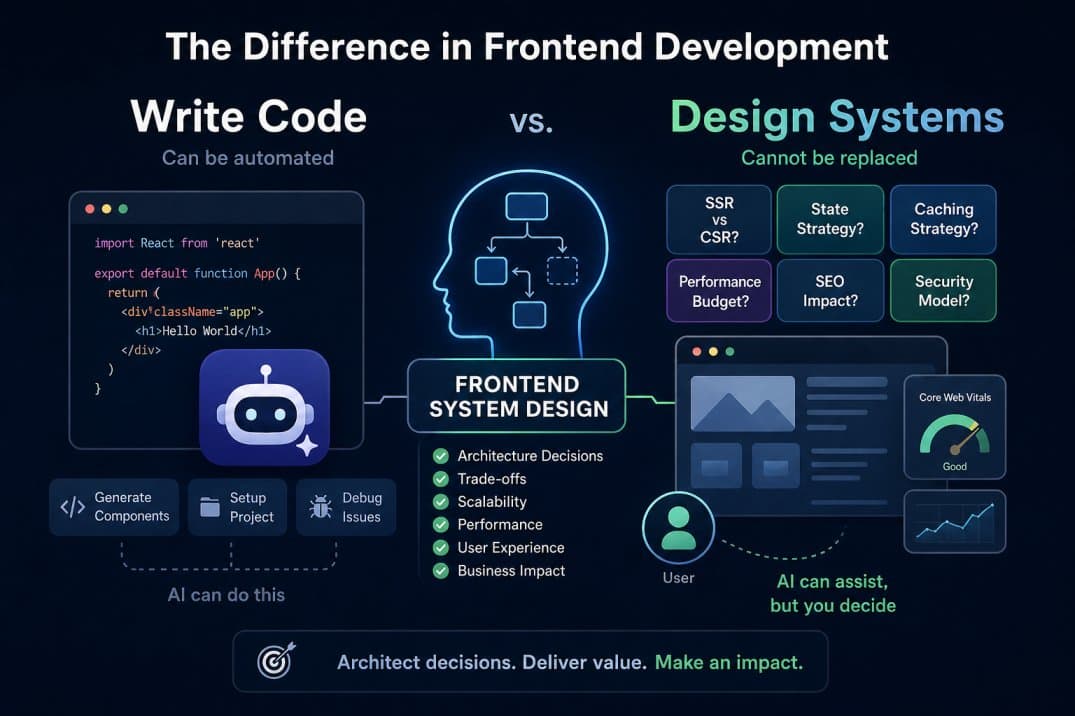
Frontend System Design: 20 Concepts That Separate Architects from Coders
AI can scaffold your components. It can set up your project. It can even debug your state management bugs.
But ask it to decide whether your app needs SSR or CSR — and it will give you a generic answer that could cost your team months of rework.
Frontend system design is the layer of thinking that sits above code. It's where you decide how the application works before you write a single line. And in 2026, it's the single biggest gap between engineers who get filtered at ₹15 LPA and engineers who clear ₹40 LPA+ interviews.
I've spent 3+ years building production systems — from real-time ride platforms to AI-powered compliance tools to multi-tenant agricultural marketplaces. Along the way, I've made expensive architectural mistakes and learned what actually matters when you're shipping to real users.
This is the complete list. 20 concepts. No fluff. Each one will get its own deep-dive article with real examples, tradeoffs, and the kind of reasoning interviewers actually test for.
1. Rendering Strategies — CSR vs SSR vs SSG vs ISR
Every frontend application starts with one fundamental question: where does the HTML get generated?
CSR (Client-Side Rendering) means the server sends an empty HTML shell and JavaScript builds the entire page in the browser. The user sees a blank screen until the JS downloads, parses, and executes. This is what plain React does by default.
SSR (Server-Side Rendering) means the server generates the full HTML on every request and sends it to the browser. The user sees content immediately, then JavaScript "hydrates" the page to make it interactive. Next.js does this with getServerSideProps or Server Components.
SSG (Static Site Generation) means the HTML is generated once at build time and served as static files. Blazing fast, but the content is frozen until the next build. Good for blogs, documentation, marketing pages.
ISR (Incremental Static Regeneration) is Next.js's middle ground — static pages that automatically regenerate in the background after a set time interval. You get the speed of static with near-real-time freshness.
When to use what:
- CSR: Dashboards, admin panels, authenticated apps where SEO doesn't matter
- SSR: E-commerce product pages, social feeds, any page where content changes per request AND needs SEO
- SSG: Marketing sites, blogs, documentation, landing pages
- ISR: Product catalogs, news sites, any content that changes hourly/daily but doesn't need real-time accuracy
The mistake most developers make is defaulting to SSR for everything because "it's better." SSR adds server cost, increases Time to First Byte, and introduces hydration complexity. The right answer is almost always a mix — SSG for static pages, SSR for dynamic SEO-critical pages, and CSR for authenticated interactive sections.
2. React vs Next.js — When to Use What
This is not a "which is better" question. It's a "what does your project need" question.
Use plain React (with Vite) when:
- You're building a single-page app behind authentication (dashboard, admin panel, internal tool)
- SEO is irrelevant
- You don't need server-side anything
- You want maximum flexibility with routing (React Router) and build tooling
- You're embedding a widget into an existing app
Use Next.js when:
- You need SEO on any page
- You want SSR, SSG, or ISR without setting it up yourself
- You need API routes (lightweight backend)
- You want file-based routing instead of configuring React Router
- You're building a public-facing product where performance and Core Web Vitals matter
- You need middleware (auth checks, redirects, geolocation)
The common mistake: Using Next.js for a pure dashboard app that sits behind a login. You're paying for SSR complexity you'll never use. A Vite + React setup is simpler, faster to develop, and easier to deploy.
The other common mistake: Using plain React for a public-facing product and then scrambling to add SEO, meta tags, and server-side rendering later. If there's any chance your app needs to rank on Google, start with Next.js.
3. Client-Side Architecture Patterns
How you organize your React code determines whether the codebase is maintainable at 5,000 lines or collapses at 50,000.
Container vs Presentational Components — Containers handle logic and data fetching. Presentational components just render UI based on props. This separation makes components reusable and testable.
Custom Hooks — Extract stateful logic into reusable hooks. Instead of duplicating API fetching logic across 10 components, write useUser() once. This is the modern replacement for HOCs and render props.
Compound Components — Components that work together and share implicit state. Think of <Select> and <Option> — the parent manages state, children render options. Headless UI and Radix UI use this pattern heavily.
Feature-based folder structure — Stop organizing by file type (/components, /hooks, /utils). Organize by feature (/features/auth, /features/dashboard, /features/payments). Each feature folder contains its own components, hooks, utils, and tests. This scales to large codebases without cross-feature spaghetti.
4. State Management — When to Use What
The most over-engineered decision in React. Here's the honest breakdown:
useState — Local component state. Use for form inputs, toggles, modals, anything that doesn't need to be shared.
Lifted state — Move state to the nearest common parent. If two sibling components need the same data, lift it up. This solves 70% of state-sharing problems without any library.
Context API — Global-ish state that doesn't change frequently. Theme, locale, auth status. Not for rapidly changing data — every context update re-renders every consumer.
Redux Toolkit — Complex global state with many updaters, middleware needs (logging, persistence), or time-travel debugging requirements. Overkill for most apps under 50k LOC.
Zustand — Simple global state without Redux's boilerplate. One file, one store, zero providers. This is replacing Redux in most new projects.
TanStack Query (React Query) — Server state management. If your "global state" is really just cached API responses, you don't need Redux — you need React Query. It handles fetching, caching, background refetching, and stale data automatically.
The rule: Start with useState. Lift when needed. Add React Query for server data. Only reach for Zustand/Redux if you have genuinely complex client-only state. Most apps never need Redux.
5. Data Fetching Patterns
How your frontend talks to your backend is an architectural decision, not just an API call.
REST vs GraphQL — REST is simpler, widely understood, and works great when your API matches your UI's data needs. GraphQL shines when your frontend needs data from multiple resources in a single request, or when different pages need different slices of the same entity. Don't adopt GraphQL because it's trendy — adopt it because you have real over-fetching or under-fetching problems.
Client-side fetching with caching — Never use raw useEffect + fetch for data fetching in production. Use TanStack Query or SWR. They handle loading states, error states, caching, deduplication, background refetching, and retry logic out of the box.
Server-side fetching — In Next.js, fetch data on the server using Server Components or getServerSideProps. The page arrives with data already rendered. Better for SEO, faster perceived load time, no loading spinners.
Pagination — Offset-based (?page=2&limit=20) is simple but breaks when data changes between pages. Cursor-based (?after=abc123&limit=20) is stable and works for infinite scroll. Use cursor-based for feeds, offset for admin tables.
Optimistic updates — Update the UI immediately before the API confirms success. If the API fails, roll back. This makes apps feel instant. TanStack Query has built-in support for this.
6. Authentication & Authorization on the Frontend
Where you store tokens and how you check permissions are security-critical decisions.
JWT vs Session Cookies — JWTs are stateless and work well for APIs serving multiple clients (web, mobile, third-party). Session cookies are simpler and more secure for web-only apps because the browser handles cookie storage, expiry, and CSRF protection automatically.
Token storage — Never store JWTs in localStorage. It's accessible to any JavaScript on the page, which means any XSS vulnerability leaks your auth token. Use httpOnly cookies — JavaScript can't access them, so XSS can't steal them. If you must use localStorage (some SPAs require it), implement strict Content Security Policy headers.
OAuth flows — Authorization Code flow with PKCE is the standard for SPAs. Implicit flow is deprecated. If you're using a provider like Auth0, Clerk, or NextAuth, they handle this for you — but you should understand the flow for interviews.
Protected routes — In CSR, wrap routes with an auth check component that redirects to login. In SSR (Next.js), use middleware to check auth before the page even renders — this prevents the flash of authenticated content.
Role-based UI — Never rely on hiding UI elements for security. The frontend can show/hide buttons based on roles, but the backend must enforce permissions on every API call. Frontend authorization is a UX convenience, not a security boundary.
7. Performance Optimization
The difference between a 2-second load and a 200ms load is architecture, not hardware.
Core Web Vitals — Google's metrics that actually matter. LCP (Largest Contentful Paint — how fast the main content appears), INP (Interaction to Next Paint — how responsive the page feels), CLS (Cumulative Layout Shift — how much the page jumps around). These directly affect SEO rankings.
Code splitting — Don't ship your entire app in one JavaScript bundle. Use React.lazy() + Suspense to load components only when they're needed. In Next.js, this happens automatically per page.
Tree shaking — Dead code elimination. If you import one function from lodash, the bundler should exclude the other 300+ functions. This only works with ES modules (import/export), not CommonJS (require).
Image optimization — Use next/image in Next.js — it handles lazy loading, responsive sizing, WebP/AVIF conversion, and CDN caching automatically. In plain React, use loading="lazy" and serve responsive images with srcset.
Memoization trap — useMemo, useCallback, and React.memo are NOT free performance wins. They add memory overhead and comparison costs. Only use them when you've measured a real performance problem — not as a preventive measure. Profile first, memoize second.
8. Browser Internals That Matter
You don't need to memorize the Chromium source code. But you need to understand the rendering pipeline to make good performance decisions.
Critical Rendering Path: Browser receives HTML → parses it into DOM → parses CSS into CSSOM → combines them into the Render Tree → calculates Layout (position/size) → Paints pixels → Composites layers. JavaScript can block any of these steps.
Reflows vs Repaints — A reflow recalculates layout (expensive). A repaint just redraws pixels (cheaper). Reading .offsetHeight after changing styles forces a synchronous reflow. Batch your DOM reads and writes separately.
Event Loop — JavaScript is single-threaded. The event loop processes the call stack, then microtasks (Promises, queueMicrotask), then macrotasks (setTimeout, setInterval, I/O). Understanding this explains why setTimeout(fn, 0) doesn't execute immediately and why a long synchronous operation freezes the UI.
Why this matters: When someone asks in an interview "why is this animation janky," the answer is always in the rendering pipeline. You moved something that triggered a reflow instead of using transform (which only triggers compositing).
9. Caching Strategies
The fastest API call is the one you don't make.
Browser cache — Cache-Control headers tell the browser how long to keep a response. max-age=3600 means cache for 1 hour. ETags let the browser ask the server "has this changed?" without downloading the full response again.
CDN caching — CloudFront, Vercel Edge, Cloudflare cache your static assets (JS, CSS, images) at edge locations worldwide. First user in Mumbai is slow; every user after that gets the cached version in 20ms.
Application-level caching — TanStack Query keeps API responses in memory with configurable stale times. staleTime: 5 * 60 * 1000 means "this data is fresh for 5 minutes — don't refetch." This eliminates redundant network calls as users navigate between pages.
Service Workers — Intercept network requests at the browser level. Can serve cached responses when offline, implement background sync, or cache API responses with custom strategies (cache-first, network-first, stale-while-revalidate).
10. API Design for Frontend Consumption
How you structure the contract between frontend and backend determines developer velocity.
BFF Pattern (Backend for Frontend) — Instead of the frontend calling 5 different microservices, create a thin backend layer that aggregates and transforms data specifically for the UI. Next.js API routes are a natural BFF. This reduces client-side complexity and network waterfalls.
Error handling — Standardize error responses. Every API error should return a consistent shape: { code: "VALIDATION_ERROR", message: "Email is required", field: "email" }. The frontend can then build generic error handling instead of special-casing every endpoint.
Request cancellation — When a user types in a search box, each keystroke fires an API call. Use AbortController to cancel the previous request before firing the next one. TanStack Query handles this automatically.
Retry logic — Not every failed request is permanent. Network blips happen. Implement exponential backoff (retry after 1s, then 2s, then 4s) for GET requests. Never auto-retry POST/PUT/DELETE without user confirmation — you might create duplicate records.
11. Micro-Frontends
Splitting a frontend into independently deployable applications. Sounds great in theory. Painful in practice.
When it makes sense: Multiple teams working on the same product, each team owns a distinct section (checkout team, search team, profile team), and you need independent deployment cycles. Think Amazon-scale — not 15-person startup scale.
When it doesn't: Your app has fewer than 100k LOC, you have one frontend team, or your features are tightly coupled. The overhead of shared routing, authentication, state synchronization, and inconsistent UX across micro-frontends will slow you down.
Module Federation (Webpack 5) — Load remote bundles at runtime. Team A deploys their checkout micro-frontend, and Team B's shell app picks it up without redeploying. Powerful but complex to debug.
The honest take: 95% of companies don't need micro-frontends. A well-structured monolith with feature-based folders and clear module boundaries is simpler and faster. Only reach for micro-frontends when organizational pain (deployment conflicts, team blocking) forces it.
12. Design System Architecture
A design system is not a component library. It's a shared language between design and engineering.
Atomic Design — Atoms (Button, Input) → Molecules (SearchBar = Input + Button) → Organisms (Header = Logo + Nav + SearchBar) → Templates → Pages. This hierarchy prevents component duplication and enforces consistency.
Theming — Use CSS custom properties (variables) for colors, spacing, typography. Tailwind handles this with its config file. For multi-brand applications (white-labeling), swap the CSS variable values — not the components.
Component API design — Make components composable, not configurable. Instead of a <Card> with 15 props, create <Card>, <Card.Header>, <Card.Body>, <Card.Footer> that compose together. Fewer props = fewer bugs = easier to maintain.
Accessibility baked in — Every component in the design system should be accessible by default. Buttons have focus rings. Modals trap focus. Dropdowns support keyboard navigation. If accessibility is an afterthought, it never happens.
13. SEO Architecture
If Google can't see your content, your content doesn't exist for 90% of your potential users.
Why CSR kills SEO — Google's crawler can execute JavaScript, but it's unreliable and delayed. A CSR app sends an empty <div id="root"> — the crawler might index that empty page. SSR and SSG solve this by sending fully rendered HTML.
Meta tags and Open Graph — <title>, <meta name="description">, <meta property="og:image"> control how your page appears in Google results and LinkedIn/Twitter shares. In Next.js, use the metadata export or <Head> component.
Structured data (JSON-LD) — Tell Google what your content IS — a product, recipe, article, FAQ. This enables rich snippets (star ratings, price ranges, FAQ dropdowns) in search results.
Sitemap and robots.txt — Sitemap tells crawlers which pages exist. robots.txt tells them which pages to ignore. Next.js can generate both automatically.
14. Error Handling & Monitoring
Every production app will break. The question is whether you know about it before your users do.
Error Boundaries — React components that catch JavaScript errors in their child component tree. Without them, one broken component crashes the entire app. Wrap major sections (sidebar, main content, widgets) in separate error boundaries with fallback UIs.
Global error handling — window.onerror and window.onunhandledrejection catch errors that escape React's boundary system. Log these to Sentry or DataDog with context (user ID, current route, browser info).
API failure patterns — Show skeleton loaders during loading, clear error messages on failure, and offer a retry button. Never show a blank screen or a raw error object. The user should always know what happened and what to do next.
15. Security on the Frontend
Frontend security isn't about making your app unhackable. It's about not being the easy target.
XSS (Cross-Site Scripting) — An attacker injects malicious JavaScript into your page. React protects against this by default by escaping rendered content. But dangerouslySetInnerHTML bypasses that protection — never use it with user-generated content without sanitization (DOMPurify).
CSRF (Cross-Site Request Forgery) — An attacker tricks a logged-in user's browser into making requests to your API. Protection: use SameSite cookies, CSRF tokens, and verify the Origin header on the backend.
CORS — Cross-Origin Resource Sharing is not a security feature — it's a browser restriction. The server decides which origins can access its API via response headers. Misconfigured CORS (using * with credentials) is a common vulnerability.
Content Security Policy — An HTTP header that tells the browser which sources of JavaScript, CSS, images, and fonts are allowed. This is the strongest defense against XSS because even if an attacker injects a script, the browser won't execute it if the source isn't whitelisted.
16. Testing Strategy
Testing everything is as wasteful as testing nothing. The goal is confidence per hour invested.
The Testing Trophy — Integration tests give the most confidence per effort. Write mostly integration tests (React Testing Library — render a component, simulate user interactions, assert on the DOM), fewer unit tests (pure functions, utilities), fewer E2E tests (Playwright — critical user flows only), and almost no snapshot tests (they break on every UI change and nobody reads the diffs).
What to test — User-facing behavior. "When I click Submit with empty fields, I should see validation errors." Not implementation details like "useState should be called with false."
What not to test — Third-party libraries, CSS styling, internal state management. If you're testing that Redux dispatches the right action, you're testing Redux, not your app.
17. Build Pipeline — Webpack vs Vite vs Turbopack
Understanding what happens between npm run dev and the browser loading your app.
Webpack — The original bundler. Powerful, configurable, slow. Bundles everything (JS, CSS, images) into optimized output files. Used internally by Next.js (now transitioning to Turbopack).
Vite — Uses native ES modules in development (no bundling during dev), so hot module replacement is nearly instant. Uses Rollup for production builds. The default for new React projects in 2026.
Turbopack — Rust-based bundler built by Vercel as Webpack's successor. Used by Next.js 15+ in development mode. Significantly faster than Webpack for large codebases.
What matters for interviews — You don't need to write Webpack configs from memory. You need to understand: what tree shaking is and why it requires ES modules, what code splitting does and how it reduces initial bundle size, and what HMR (Hot Module Replacement) is and why Vite is faster at it.
18. Real-Time UI Patterns
When data needs to appear the moment it changes, not on the next page refresh.
WebSocket — Full-duplex persistent connection. Both client and server can push messages anytime. Best for: chat, live collaboration, gaming, real-time dashboards. Downside: connection management, reconnection logic, scaling across servers.
Server-Sent Events (SSE) — One-way stream from server to client over HTTP. Simpler than WebSocket, auto-reconnects, works with existing HTTP infrastructure. Best for: notifications, live feeds, progress updates. Downside: no client-to-server messaging.
Polling — Client asks the server "anything new?" on a timer. Simple to implement but wasteful. Short polling (every 5 seconds) wastes bandwidth. Long polling (hold the connection until data arrives) is better but still worse than SSE/WebSocket for true real-time.
Optimistic UI — Update the UI before the server confirms. User sends a message → it appears instantly in the chat → if the API fails, show an error icon and offer retry. This is how every modern chat app works.
19. Internationalization (i18n)
Building apps that work across languages and cultures.
Locale detection — Check the Accept-Language header on the server, navigator.language on the client, or the URL path (/en/about, /hi/about). Let users override with a language picker.
Translation management — Store translations in JSON files per locale. Use next-intl or react-i18next to load the right file and swap strings. Never hardcode user-facing strings.
RTL support — Arabic, Hebrew, Urdu read right-to-left. Use CSS direction: rtl and logical properties (margin-inline-start instead of margin-left). Tailwind has RTL utilities built in.
Date and number formatting — Use Intl.DateTimeFormat and Intl.NumberFormat. Never format dates manually — "01/02/2026" means January 2nd in the US and February 1st everywhere else.
20. Accessibility (a11y)
Accessibility is not a feature. It's a quality standard.
Semantic HTML — Use <button> for actions, <a> for navigation, <nav> for navigation blocks, <main> for primary content. A <div onClick> is never a button — it has no keyboard support, no screen reader announcement, and no focus management.
ARIA attributes — aria-label for elements without visible text, aria-expanded for dropdowns, aria-live for dynamic content announcements. But the first rule of ARIA is: don't use ARIA if a native HTML element does the job.
Keyboard navigation — Every interactive element must be reachable and operable with keyboard alone. Tab order should follow visual order. Modals must trap focus. Escape should close overlays.
Color contrast — WCAG requires 4.5:1 contrast ratio for normal text, 3:1 for large text. Use browser DevTools or WebAIM's contrast checker. This isn't just for visually impaired users — everyone benefits in bright sunlight or on low-quality screens.
What's Next
This is the overview. Each of these 20 topics deserves its own deep-dive with code examples, architecture diagrams, and real-world tradeoffs.
I'll be publishing detailed breakdowns starting with the seven interview-critical topics: Rendering Strategies, React vs Next.js, State Management, Data Fetching, Performance, Browser Internals, and Frontend Security.
Follow along on LinkedIn or check back here.
Written by Smeet Patel — Full-Stack & AI Application Engineer. Building production software and sharing what I learn along the way.